INTEGRASMART TECH · PRACTICAL GUIDES
Install and activate Air Radar on an ESP32 CYD
Check the board, try the demo and recover your activation code.
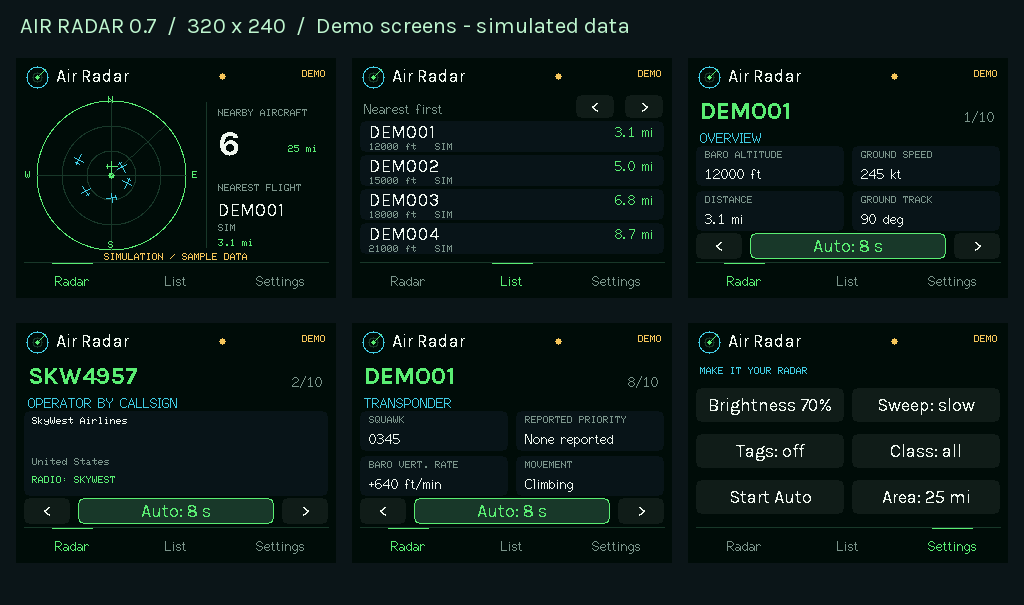
Check compatibility before buying
The supported board is the classic ESP32 CYD 2432S028R with a 2.8-inch ILI9341 display, resistive touch and 4 MB flash. A similar-looking board or an ESP32-S3 is not automatically compatible. Check the exact board markings and try the installer demo before purchasing a license.
Connect and try the demo
Open the Air Radar installer in desktop Chrome or Edge. Use a USB data cable, not a charging-only cable, and select the connected serial port when the browser asks. Close any other program using that port. The demo helps check the screen and controls; live aircraft data requires activation. Read the release notes before installing a pilot release.
Install, then activate
Follow the installer steps for your board. A fresh installation with erase enabled removes existing firmware, settings and the saved license token; keep your purchase code before erasing. Enter the emailed AR- code in the activation tab and connect the intended device. Each code binds to the first device activated. The $19.99 license is a one-time purchase for one compatible device.
Lost code or reinstalling?
You can reinstall and activate again on the same assigned device. Search your purchase email first; if the code is missing, contact support with your order number or purchase email so we can resend the same code. It does not create another device license. Standard physical-product returns do not apply to software; contact support about activation, billing or refund problems. Mandatory consumer rights remain unaffected.